Basic Operations
Overview
Firefly T1 sits between a traditional development board and a finished product. It can run as a standalone device or be paired with various accessories to unlock diverse functions. This guide covers the most basic operations when using it as a standalone device.
Hardware Diagram
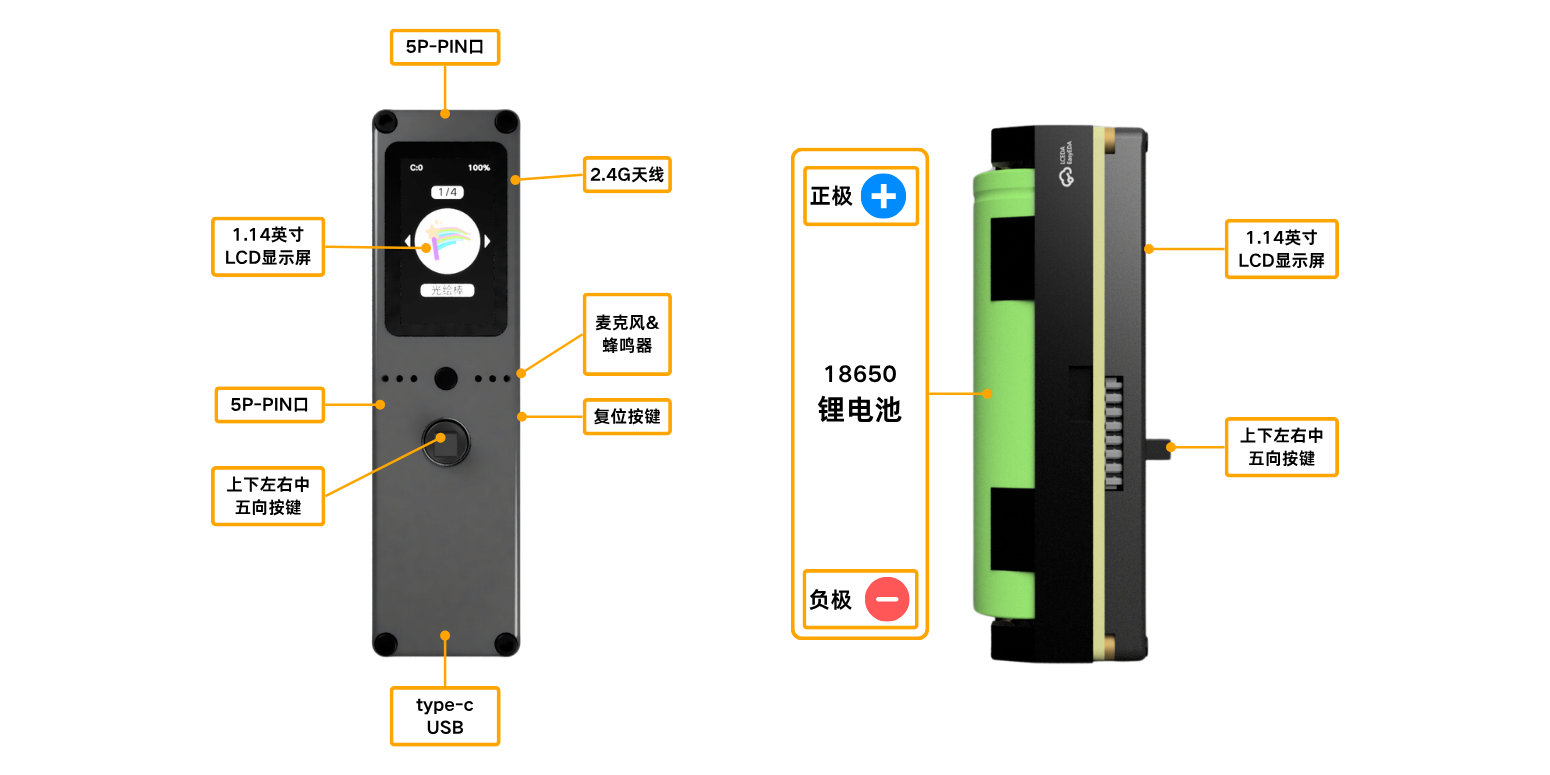
caution
Incorrect battery polarity will prevent the device from powering on.
Basic Operations
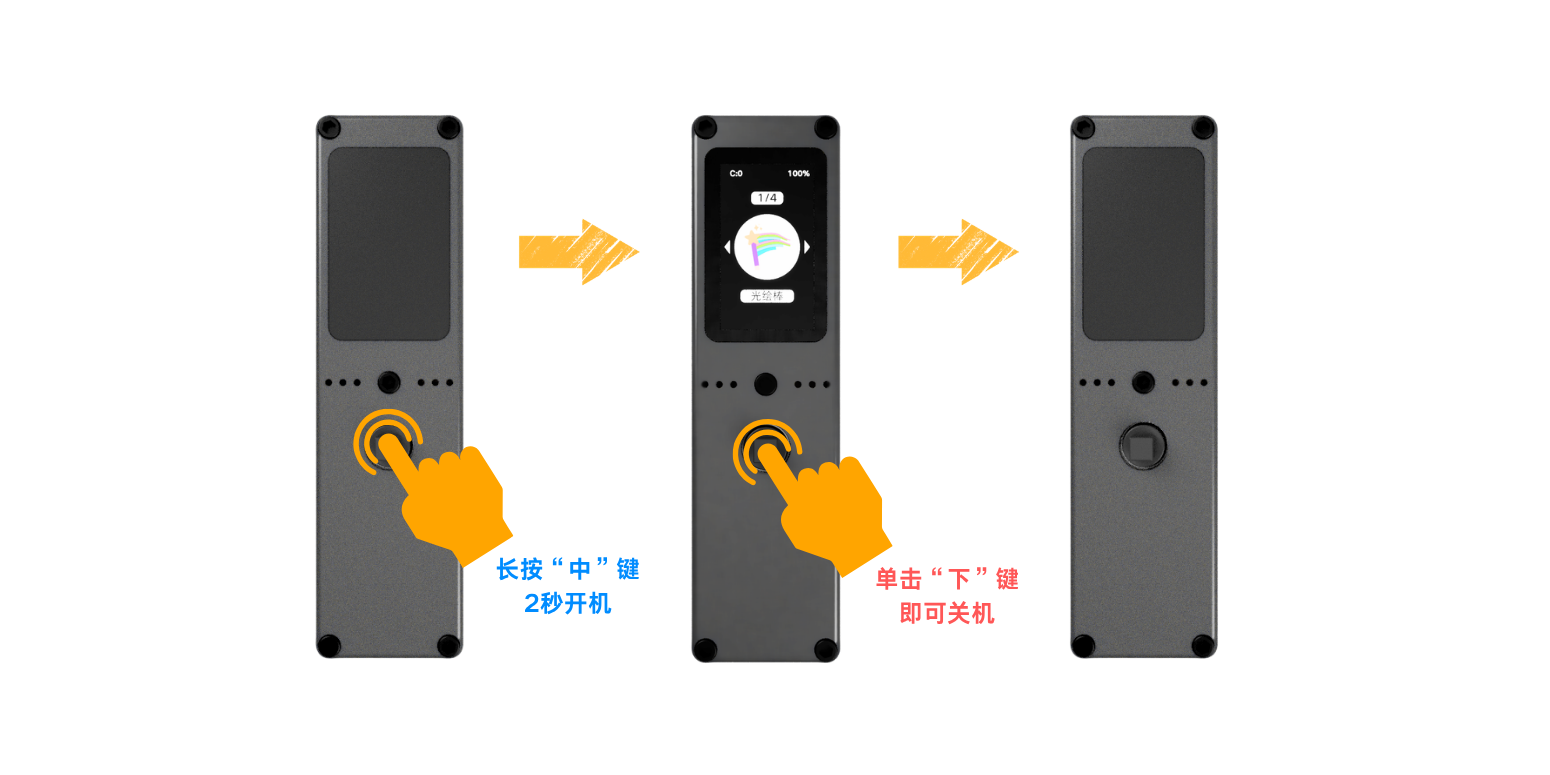
Power On & Off
Power On
- With the device off
- Press and hold the joystick center button for 2 seconds
Power Off
- Exit all apps and return to the home screen
- Press the joystick down button once
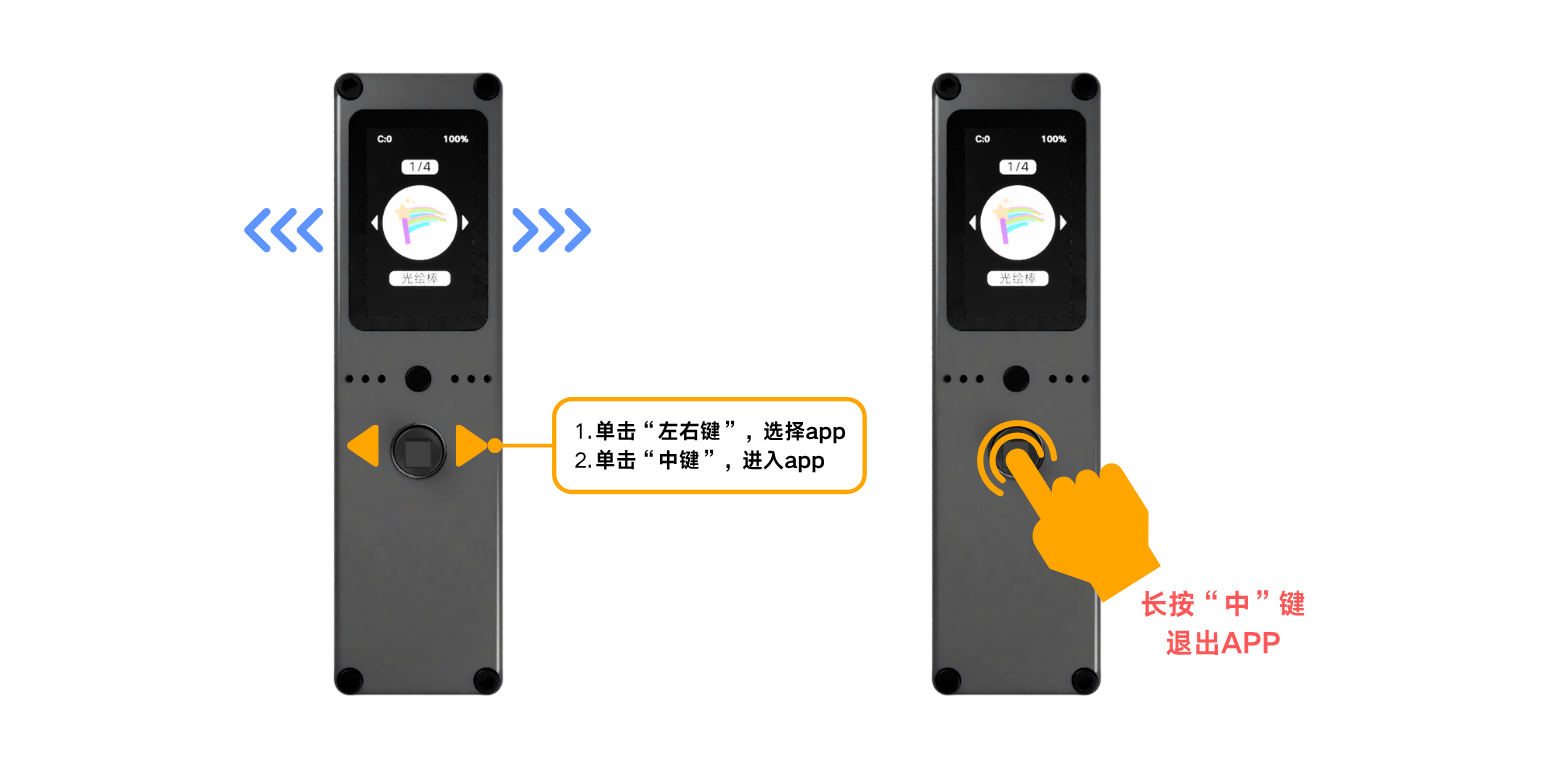
Enter & Exit Apps
Enter App
- Move the joystick left/right to select an app
- Press the center button to enter
Exit App
- While in an app
- Press and hold the center button for 2 seconds to return to home
Get More Apps
App Installation →Charging
5V input via Type-C port. Connect the included Type-C cable to a charger or computer.
Battery Level
The top-left of the screen shows charging status (C:0 = not charging, C:1 = charging), and the top-right shows the current battery percentage.
Charging Notes
- You can use a phone charger or power bank to charge the device
- The device can be stored directly after power off, no need to remove the battery
- After plugging in the power, it automatically switches to external power supply; the device can work normally even without a battery installed