Product Manual
Overview
Firefly T1 is a product that sits between a traditional development board and a finished product. It can run as a standalone device or be combined with various accessories for a wide range of functions. It suits both beginners who want to learn and experiment, and experienced developers.
It is powered by an ESP32S3 main controller and integrates a 1.14-inch LCD, microphone, buzzer, gyroscope, and buttons, giving you more choice and flexibility. One of its highlights is up to 18W of power output, designed for low-to-medium-power light control applications — from simple LEDs to complex light effects, all easily achievable.
On the software side, Firefly T1 comes with the popular MicroPython embedded system, developed in Python. There's no need to spend time on compilation and debugging — just drag and drop a script file onto the USB drive to run it. This simple workflow saves time and lets even beginners get started quickly and bring their ideas to life.
Product Specifications
Main Controller Resources
| Parameter | Description |
|---|---|
| MCU | ESP32S3, 240MHz dual core, 520KB SRAM, 384KB ROM, Wi-Fi & Bluetooth |
| Flash | 8MB FLASH |
| SD Card | 128MB SMD NAND FLASH |
| Input Voltage | 5V |
| USB Interface | Type-C |
| Expansion (PIN) | 5-Pin mini connector ×2 |
| LCD | 1.14-inch, 135×240 color TFT LCD, ST7789v2 |
| Microphone | SPM1423 |
| Buttons | 5-way joystick, reset button, boot button |
| PMU | SW6106 |
| Buzzer | Passive SMD buzzer |
| MPU | BMI270 & BMM150 |
| Antenna | 2.4G 3D antenna |
| Battery | Replaceable 18650 4.2V battery |
| Operating Temperature | 0°C ~ 61°C |
Appearance
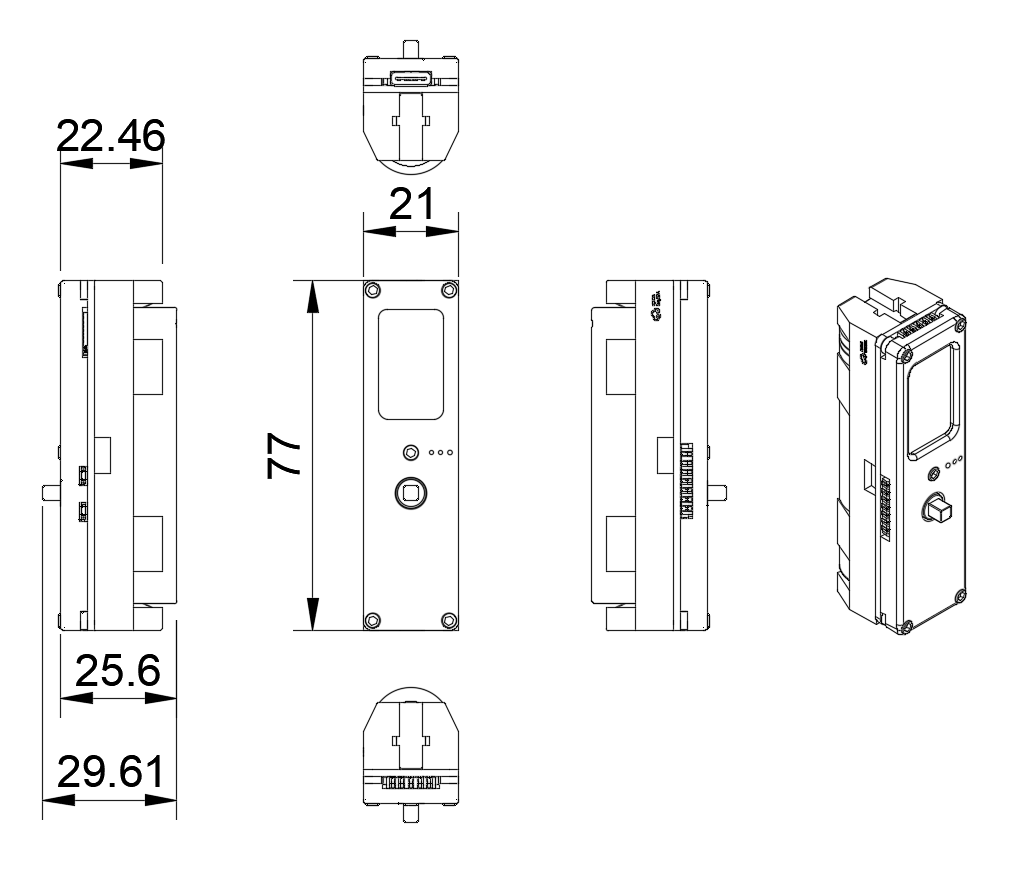
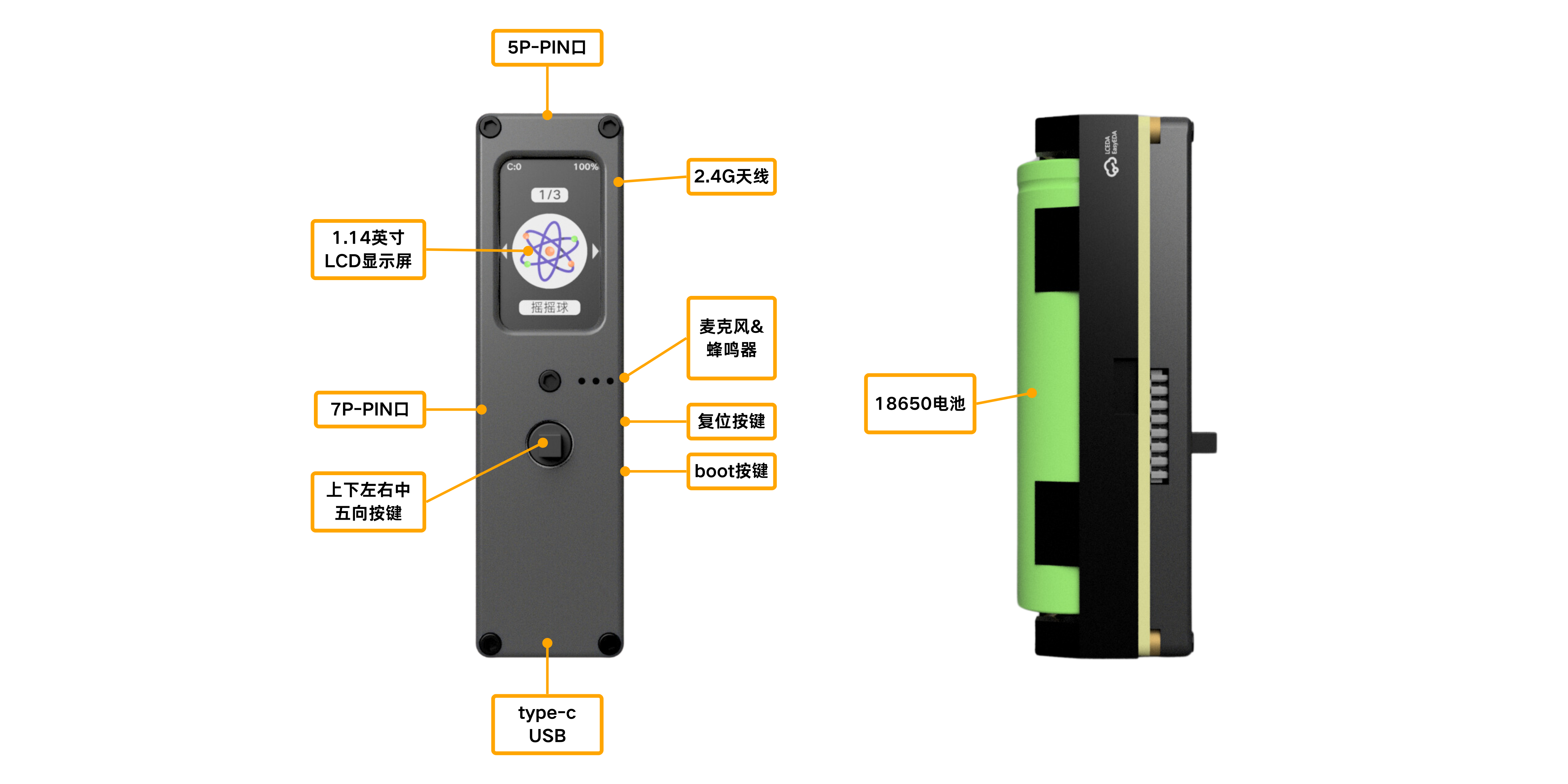
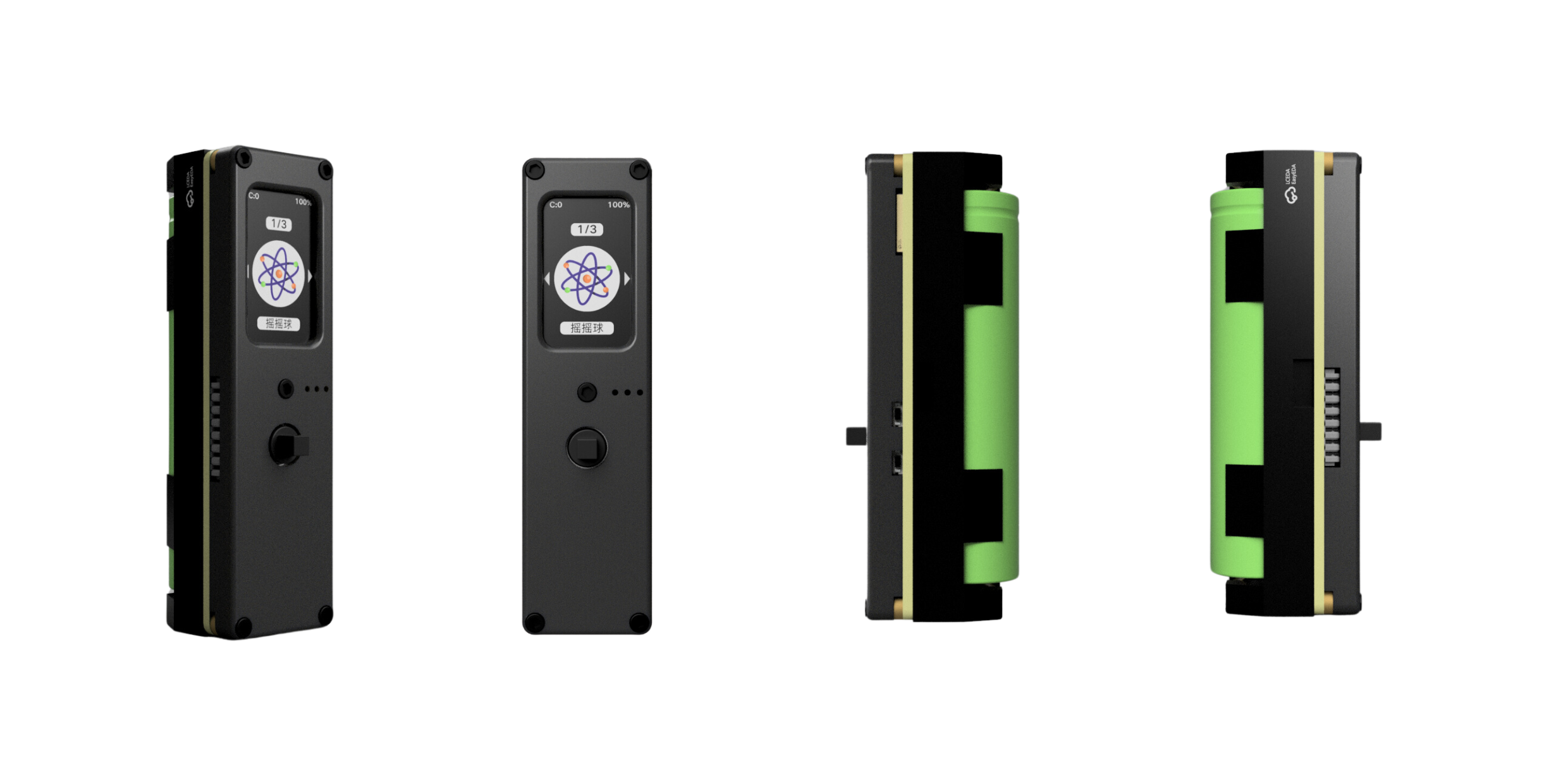
Firefly T1 has a compact, integrated design with a display on the front, a 5-way joystick and various interfaces around it — easy to hold and operate.
How to Use
Hardware Diagram
When installing the 18650 battery, pay attention to the positive and negative orientation — the device won't power on if it's inserted backwards.
Basic Operations
Power on/off: with the device powered off, long-press the "center" button on the 5-way joystick to power on; with the device powered on, long-press the "center" button to power off.
For more detailed basic operations, see the Quick Start section.
UI
Our interface is simple and clear at a glance — not cluttered or confusing, only the information and operations you need. No matter who you are, you can get started easily and enjoy the convenience.
Classic Uses
Light Painting Wand
Combine Firefly T1 with an LED strip and it becomes a photographer's creative tool — a light painting wand! Use LEDs and long exposure to create stunning light painting effects at night. Lightweight and easy to carry, it's great for outdoor activities and creative photography.
Time Ring
Combine Firefly T1 with an LED ring to create a beautiful and practical desktop assistant — the Time Ring! With 60 colorful LEDs, it can simulate clock functions, countdown timers, pomodoro timers, indicator lights, and more. It can even read audio frequency through the digital microphone to become a desktop rhythm light.
Contact
- About us and contact: Help & Community
- To purchase: please visit the Socolode official website or authorized channels.