Basic Operations
Port Overview
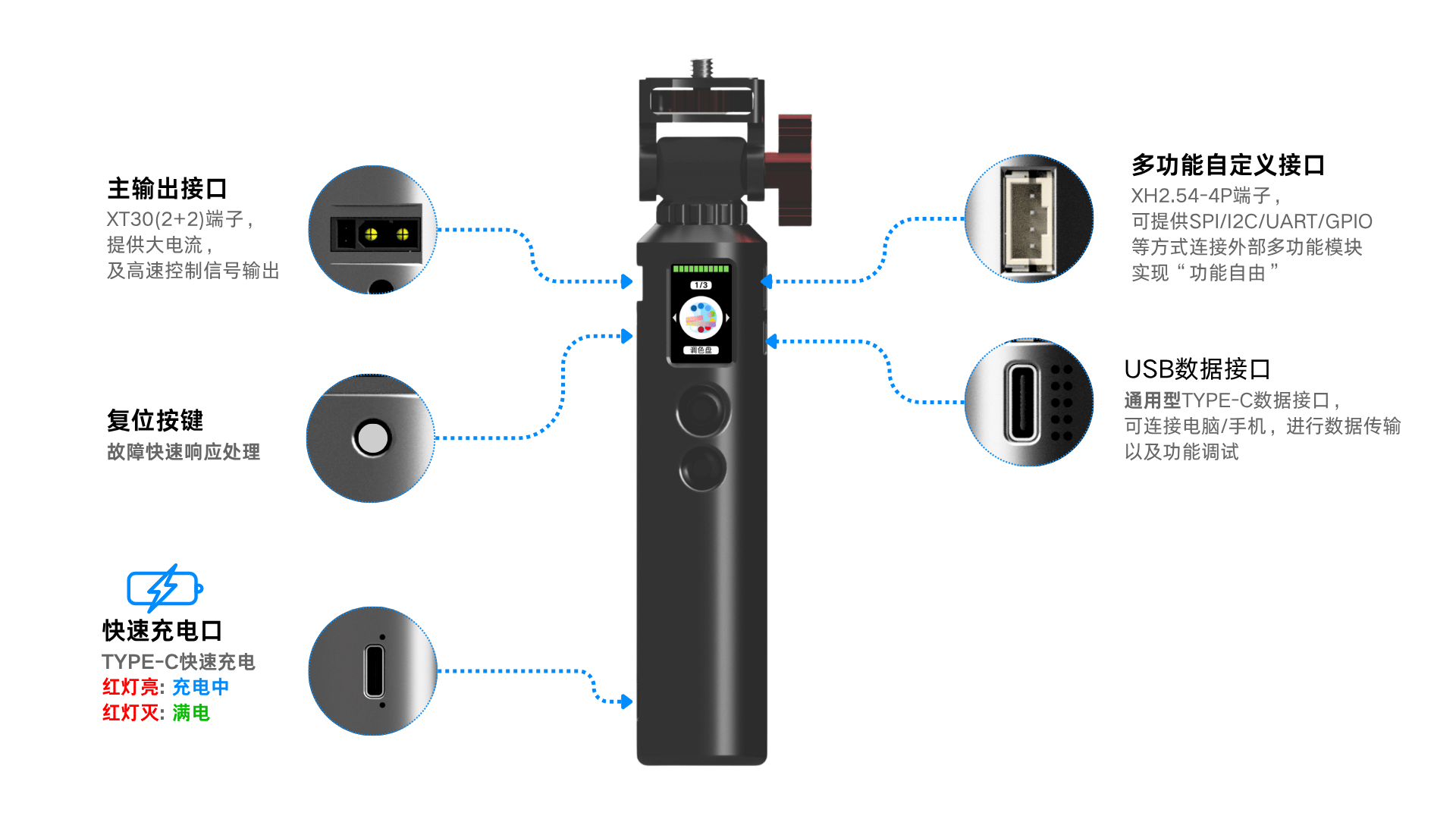
The Beetle S1 port layout:
| Port | Description |
|---|---|
| XT30(2+2) Connector | Main output, high current + control signal, for LED strips |
| Fast Charge Port (Type-C) | Charging, red LED when charging, off when full |
| Data Port (Type-C) | Connect to computer/phone for debugging and file transfer |
| 4PIN Multi-function Port (XH2.54-4P) | SPI/I2C/UART/GPIO expansion |
| Reset Button | Quick restart in case of issues |
Charging
Use the included charging Type-C cable to connect to a charger.
- Red LED indicator on the fast charge port when charging, turns off when fully charged
- Use a 5V/2A or higher charger for faster charging
- Can use phone charger or power bank
Power On & Off
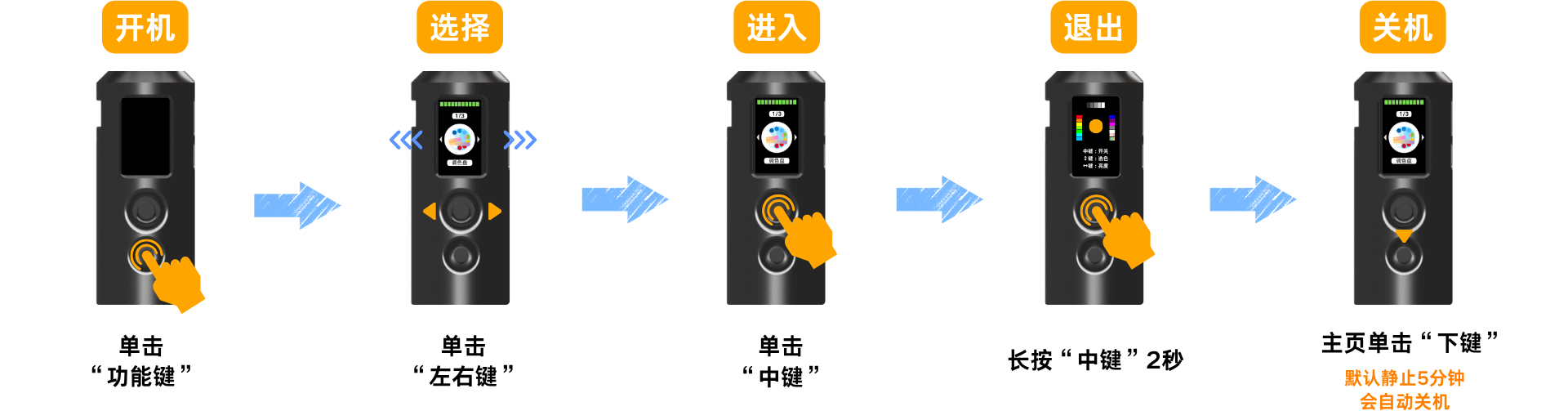
Power On
- With the device powered off
- Press the function key once to power on
Power Off
- Exit all light apps to return to the "home screen"
- Press the "down button" once to power off
tip
The S1 automatically powers off after 5 minutes of inactivity to save battery.
Entering an App
- Press left/right to select the desired app
- Press the center button to enter the app
Exiting an App
- While in a light app
- Press and hold the center button for 2 seconds to return to the home screen
Button Guide
| Button | Function |
|---|---|
| Function Key | Special functions / menu shortcut |
| Left/Right Keys | Navigate apps / adjust parameters |
| Center Key | Press to enter an app / confirm; hold 2 seconds to exit an app |
| Down Key | Press to power off / go back |
Notes
Charging
- Uses a Type-C fast charge port, compatible with phone chargers and power banks
- Supports use while charging; red LED indicates charging, off means fully charged
Cable
- For best charging power and data transfer stability, use the included original cable
Usage Precautions
- Not waterproof — keep away from water and avoid using in humid environments
- The shell is made of 3D-printed material and is fragile; avoid drops, impacts, and heavy pressure
- Do not disassemble or modify the internal circuits yourself
Storage
- After powering off, store in a dry, cool place away from heat and water
- For long-term storage, do not leave the battery completely drained — storing with no charge shortens battery life
- Avoid scratching the shell with hard objects